交換機如何配置ssh
- 1關注
- 1收藏,4165瀏覽


#
<H3C>system-view
#
[H3C]public-key local create rsa
The local key pair already exists.
Confirm to replace it? [Y/N]:y
The range of public key modulus is (512 ~ 2048).
If the key modulus is greater than 512, it will take a few minutes.
Press CTRL+C to abort.
Input the modulus length [default = 1024]:
Generating Keys....
Create the key pair successfully.
#
[H3C]public-key local create dsa
The range of public key modulus is (512 ~ 2048).
If the key modulus is greater than 512, it will take a few minutes.
Press CTRL+C to abort.
Input the modulus length [default = 1024]:
Generating Keys.....
Create the key pair successfully.
#
[H3C]ssh server enable
#
[H3C]interface GigabitEthernet1/0/4
[H3C-GigabitEthernet1/0/4]ip address 192.168.10.1 255.255.255.0
[H3C-GigabitEthernet1/0/4]quit
#
[H3C]line vty 0 63
[H3C-line-vty0-63]authentication-mode scheme
[H3C-line-vty0-63]quit
#
[H3C]local-user admin
[H3C-luser-manage-admin]service-type ssh
[H3C-luser-manage-admin]authorization-attribute user-role network-admin
[H3C-luser-manage-admin]password simple admin
[H3C-luser-manage-admin]quit
3.3 限製用戶SSH登錄設備
#隻允許內網192.168.10.0/24網段用戶登錄設備
#配置ACL:
[H3C]acl basic 2999
[H3C-acl-ipv4-basic-2999]rule permit source 192.168.10.0 0.0.0.255
[H3C-acl-ipv4-basic-2999]quit
#在SSH服務中調用
[H3C]SSH server acl 2999
#測試無問題後,再保存配置
[H3C]save force
4 配置驗證及登錄測試
使用CRT客戶端SSH登錄設備
#
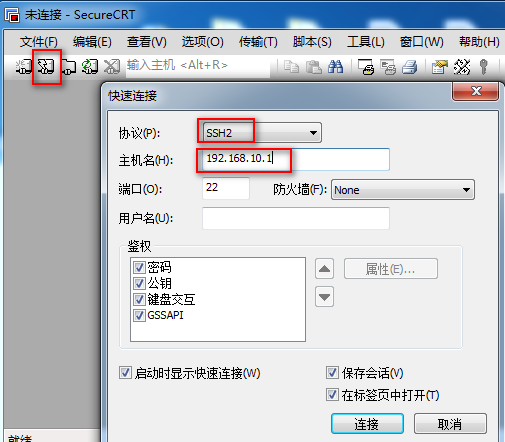
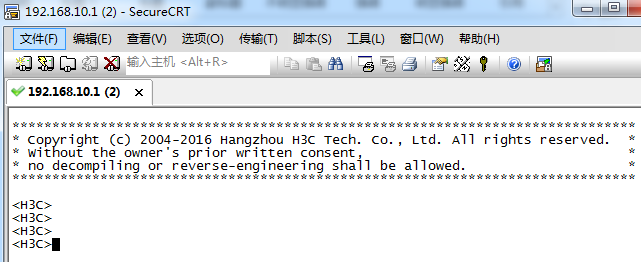
#電腦上開啟CRT軟件開始連接設備,點擊快速連接,然後協議選擇“SSH2”,主機名輸入設備的地址“192.168.10.1”,點擊“連接”。
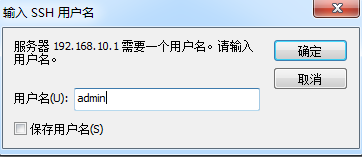
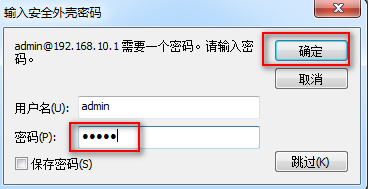
#

- 2020-09-07回答
- 評論(0)
- 舉報
-
(0)
暫無評論

您好,請知:
以下是交換機SSH的配置案例,請參考:
1、基礎網絡配置:
<H3C>sys
System View: return to User View with Ctrl+Z.
[H3C]vlan 10
[H3C-vlan10]quit
[H3C]int vlan 10
[H3C-Vlan-interface10]ip address 192.168.124.254 24
[H3C-Vlan-interface10]quit
[H3C]int gi 1/0/1
[H3C-GigabitEthernet1/0/1]port link-type access
[H3C-GigabitEthernet1/0/1]port access vlan 10
[H3C-GigabitEthernet1/0/1]quit
2、創建管理員賬號,並賦予最高權限,僅允許SSH登錄
[H3C]local-user admin
New local user added.
[H3C-luser-manage-admin]password simple admin
[H3C-luser-manage-admin]service-type ssh
[H3C-luser-manage-admin]authorization-attribute user-role network-admin
[H3C-luser-manage-admin]quit
4、開啟SSH功能
[H3C]ssh server enable
5、在VTY調用本地用戶登錄
[H3C]line vty 0 4
[H3C-line-vty0-4]authentication-mode scheme
[H3C-line-vty0-4]protocol inbound ssh
[H3C-line-vty0-4]quit
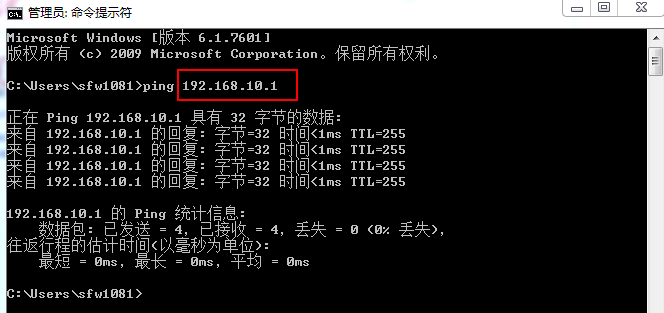
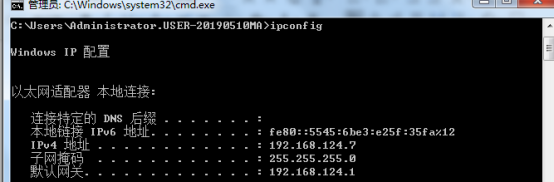
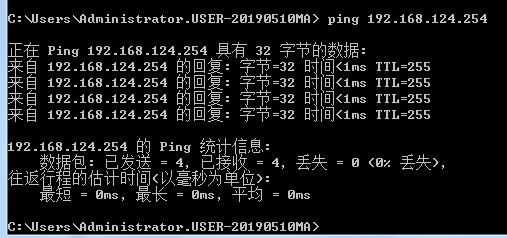
6、設置電腦IP,並PING通交換機
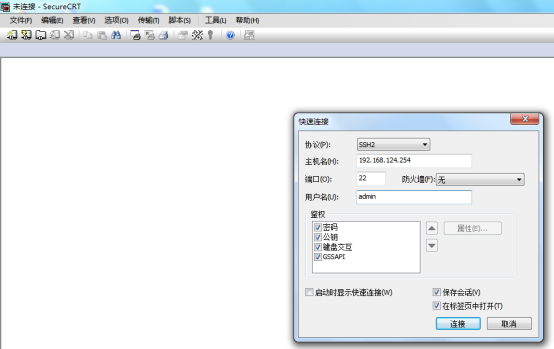
7、測試SSH遠程登陸管理
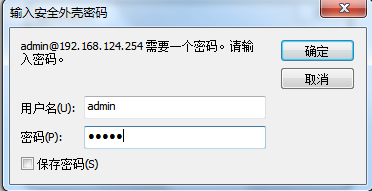
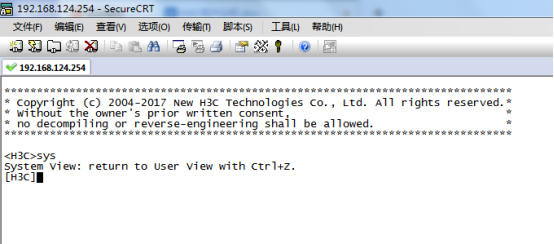
具體的案例鏈接如下:
- 2020-09-07回答
- 評論(0)
- 舉報
-
(0)
暫無評論
編輯答案


親~登錄後才可以操作哦!
確定你的郵箱還未認證,請認證郵箱或綁定手機後進行當前操作
舉報
×
侵犯我的權益
×
侵犯了我企業的權益
×
- 1. 您舉報的內容是什麼?(請在郵件中列出您舉報的內容和鏈接地址)
- 2. 您是誰?(身份證明材料,可以是身份證或護照等證件)
- 3. 是哪家企業?(營業執照,單位登記證明等證件)
- 4. 您與該企業的關係是?(您是企業法人或被授權人,需提供企業委托授權書)
抄襲了我的內容
×
原文鏈接或出處
誹謗我
×
- 1. 您舉報的內容以及侵犯了您什麼權益?(請在郵件中列出您舉報的內容、鏈接地址,並給出簡短的說明)
- 2. 您是誰?(身份證明材料,可以是身份證或護照等證件)
對根叔社區有害的內容
×
不規範轉載
×
舉報說明
暫無評論